
A command palette for your tabs.
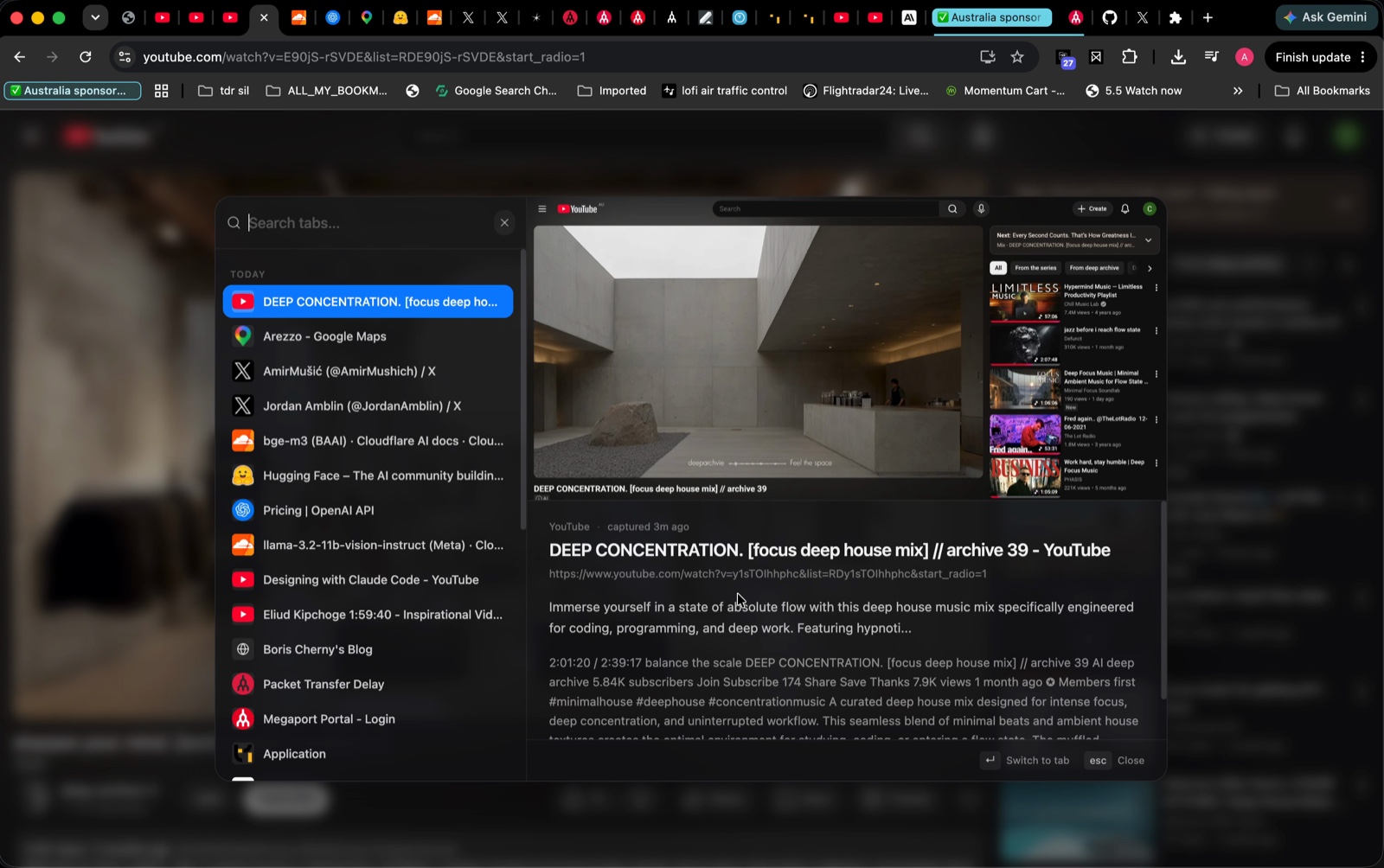
Thirty tabs across four windows, and the one you need is somewhere in the blur. TabKnight turns Chrome's tab strip into a fast, keyboard-driven command surface: hit ⌘K and a palette appears over your current page — fuzzy-search every tab in every window, see a real preview of where you're going, and jump there with Enter.
Never leave the keyboard
Everything is reachable without the mouse. Arrow through matches, close or pin or mute the highlighted tab with a single chord, type > to filter every browser command, or drop into Audio mode to control whichever tab is making noise. The search stays focused even when focus drifts — you just type.
Sessions that survive
Done with a project? Save the working set of tabs as a bookmark-backed session and restore it later — tomorrow, or on another machine. Your desk gets cleared without losing your place.
Local-first, by design
Everything lives in your browser. TabKnight makes no network requests of its own, and it degrades gracefully even on Chrome's internal pages. No accounts, no tracking, no server.
Get it
TabKnight is open source — TypeScript, React 18, and Bun under a Manifest V3 extension. Browse the code on GitHub.